National Pharmaceutical Association- Atlanta Gates City Chapter
Thank you to our 2024-2026 Officers for doing another term!
Menu
Menu
Renewing Your Membership
Extend your journey with NPhA-AGCC and reap the rewards of continued membership. We remain committed to supporting our members in every facet of community pharmacy.
By renewing your membership, you’ll gain access to:
- Up-to-date information and briefings: Stay informed on the latest industry trends and developments.
- A wide range of industry data and resources: Leverage valuable insights to enhance your practice.
- A supportive community of like-minded professionals: Connect with colleagues and share experiences.
Invest in your professional growth and renew your NPhA-AGCC membership today!
Steps to Renewing Your Membership
- Click the applicable option below
- Complete payment information
- Provide your contact and professional information
- Renewal successful!
Renewal Options
Pharmacist
$100
Professional Associate Members
$75
Significant Other
$50
Pharmacy Students
$25
Pharmacy Technicians
$25
Significant Other
$50
Pharmacist
$100
Professional Associate Members
$75
Significant Other
$50
Pharmacy Students
$25
Pharmacy Technicians
$25
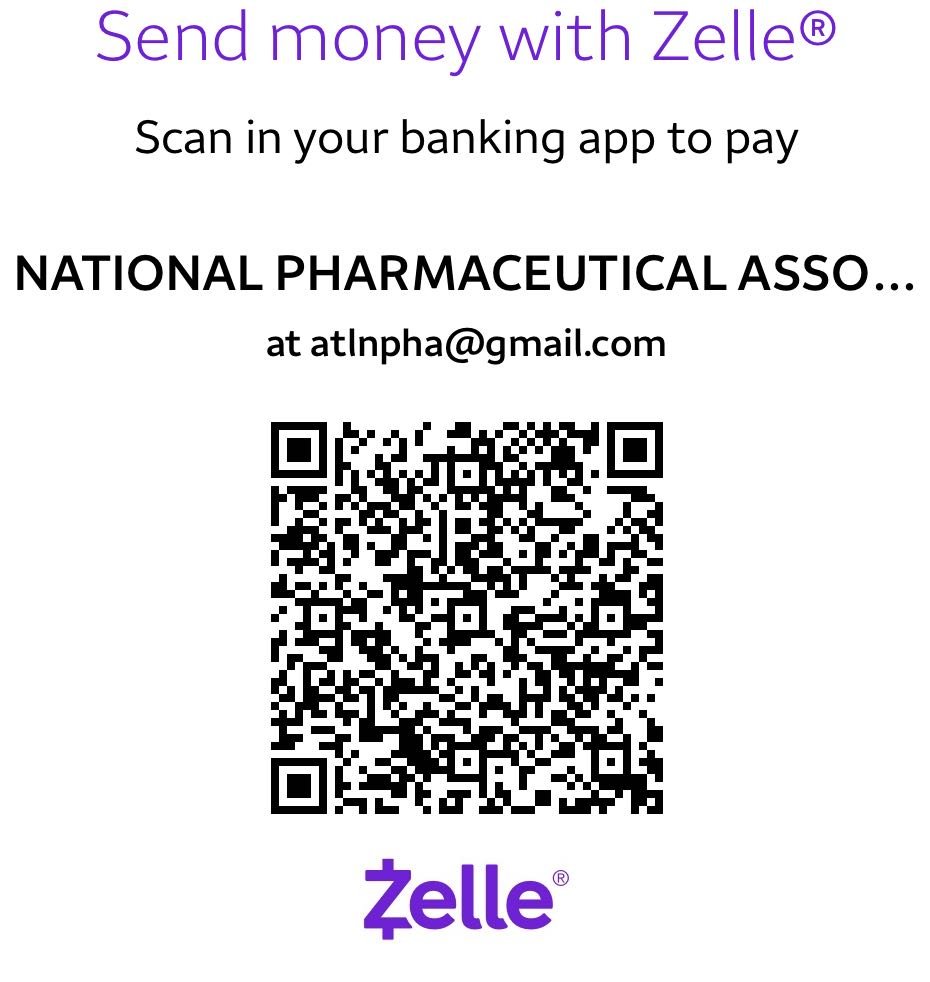
How to Pay with Zelle
If You're on a Computer:
- Open Your Banking/Zelle App – On your phone, launch your bank’s app (with Zelle) or the Zelle® app.
- Tap “Scan QR Code” – Select the scanner in the app (usually under “Send” or “Pay”).
- Scan the Code on Your Laptop Screen – Hold your phone’s camera over the QR code displayed on your computer.
- Enter Amount & Confirm – Verify the recipient and complete the payment.
- Take a screenshot and click the “Proceed” button.
If You’re on a Mobile Phone:
- Save the QR Code to Your Phone: On our website, long-press the QR code image below to save it
- Open Your Banking/Zelle App: Launch your bank’s app (with Zelle) or the Zelle® app.
- Tap “Scan QR Code”: Look for the scanner in the app (usually under “Send” or “Pay”).
- Scan the Saved QR Code: Select “Choose from Gallery” then pick the saved QR code image from your photos.
- Enter Amount & Confirm: Verify the recipient and complete the payment.
- Take a screenshot and click the “Proceed” button.